
-
Make sure the pump is switched off.
-
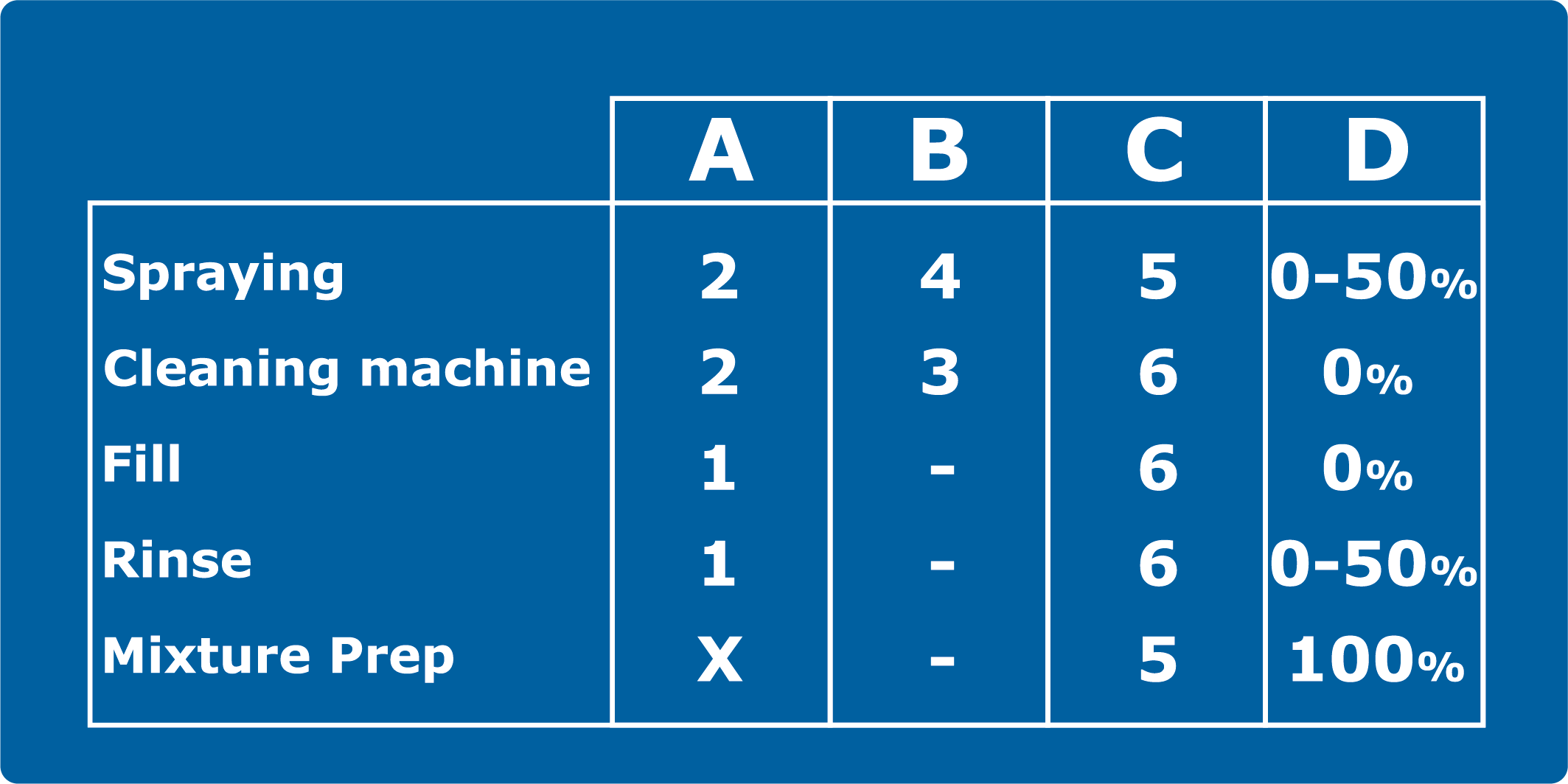
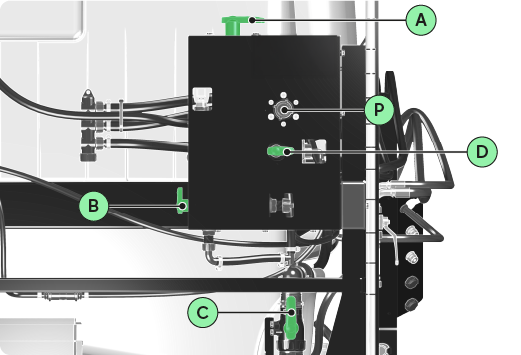
Set the valves to Spraying position mode.
INFORMATION
Do not use this 3D illustration as a reference. Please refer to the valve position modes table.
-
Turn on the pump.
-
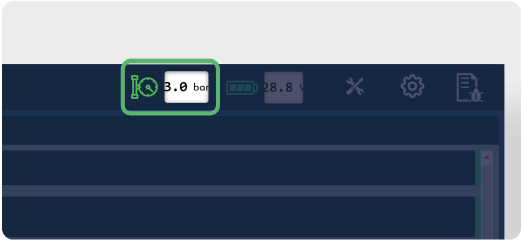
Adjust the pressure displayed on the application to 3.0 bar by manipulating the pressure valve (P).
INFORMATION
-
The Flushing and Priming modes must not be activated.
-
The pressure displayed by the pressure gauge may differ from that displayed on the application. This variation is due to the length of the pipes.