620 S G2 TS4.2 600 S G1 TS4.0 600 S G1 TS4.0 (US) 600 S G1 TS4.1 600 S G1 TS4.1 (US) 620 S G2 TS4.2 (US) English Bulgarian Czech Danish Dutch French German Greek Hungarian Italian Polish Portuguese Romanian Spanish Turkish Ukrainian

Adjusting the working pressure

  1. Make sure the pump is switched off.


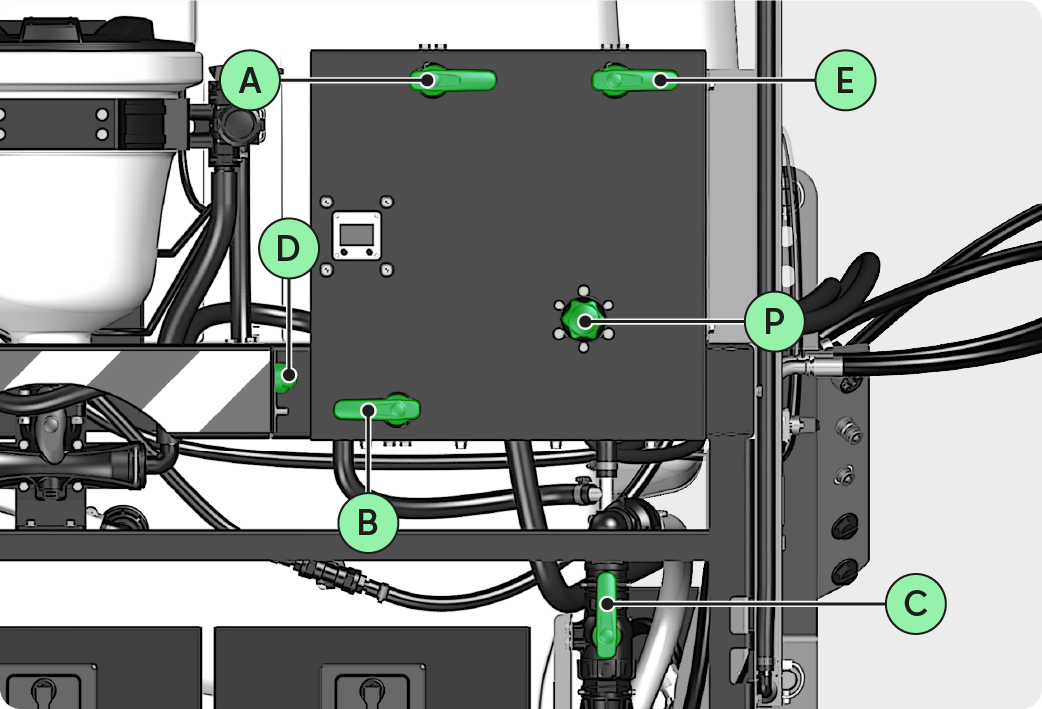
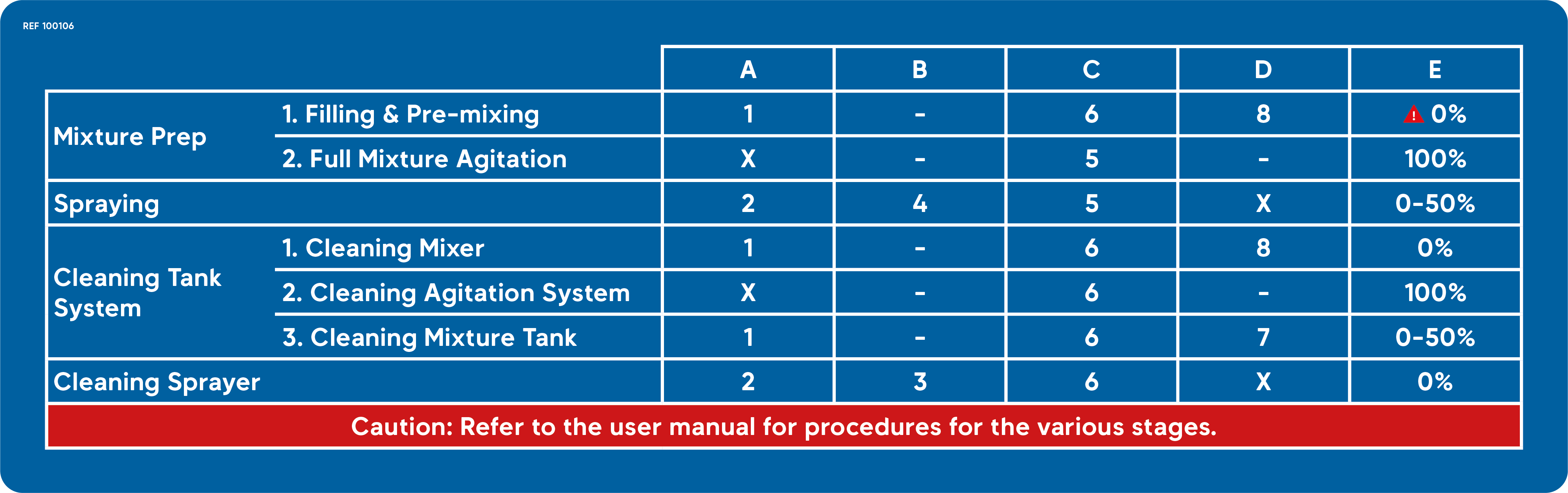
  1. Set the valves to Spraying position mode.

INFORMATION

Do not use this 3D illustration as a reference. Please refer to the valve position modes table.
100106 OK.png
Images_Panneau de commandes V4.2.png


  1. Turn on the pump.


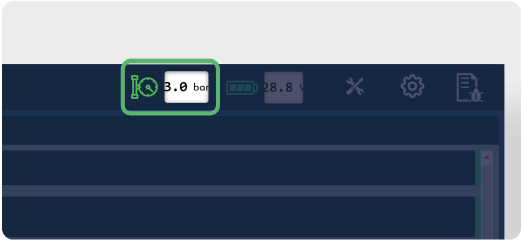
  1. Adjust the pressure displayed on the application to 3.0 bar | 43.5 psi by manipulating the pressure valve P.
Images_UI Pressure.png


INFORMATION

  • The Flushing and Priming modes must not be activated.

  • The pressure displayed by the pressure gauge may differ from that displayed on the application. This variation is due to the length of the pipes.